
Guides · Styles
Free AI Karaoke Caption Styles
Add free karaoke caption styles that highlight each word as it is spoken. Word-timed burn-in for Reels, TikTok, and Shorts. No watermark.
By Caption-Lagao · Updated 2026-09-28 · 6 min read
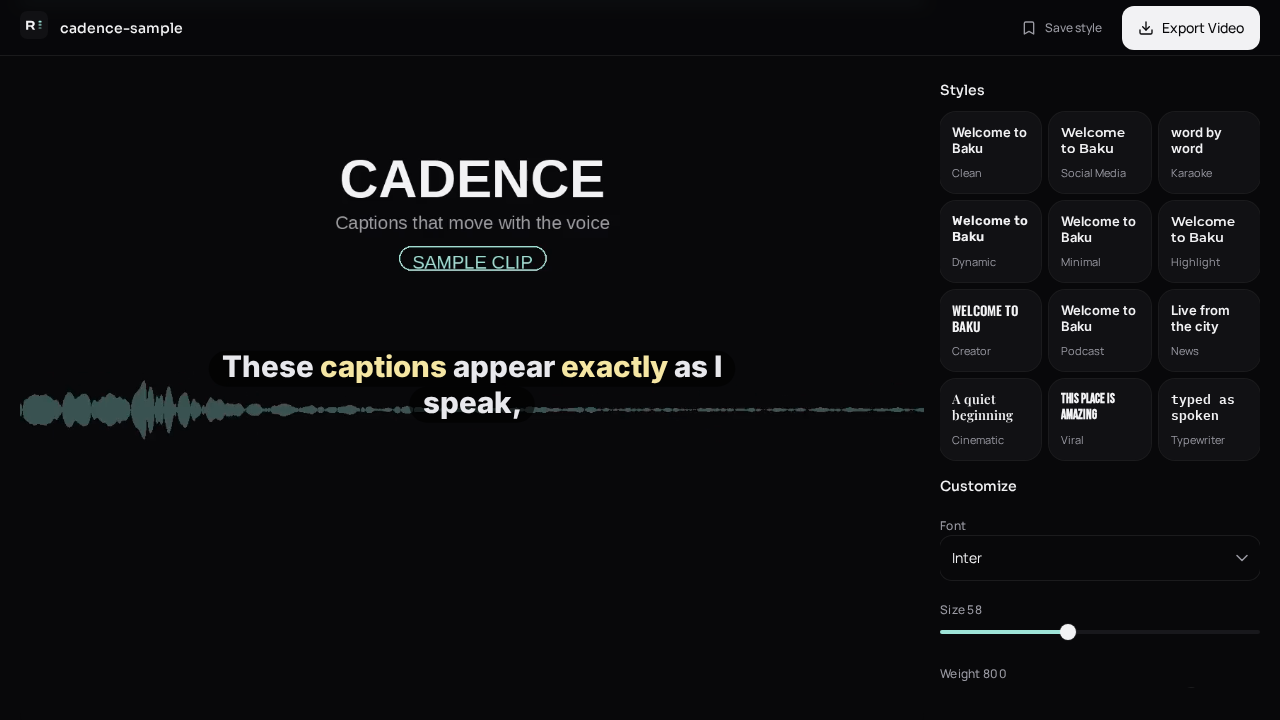
Karaoke style is the look people mean when they say the word lights up as the person talks. It is not a font. It is timing. If the tool only knows when the sentence started, the highlight will crawl or sit still, and the clip will feel cheap.
Which karaoke styles stay readable?
- One or two lines, not a paragraph.
- High contrast: light text, dark shadow, or a solid chip behind the word.
- A single highlight color. Rainbow on every word is noise.
- Position above the like button so the active word is not covered.
How do I turn on karaoke captions?
- Generate word-timed captions from the video.
- Open styles and pick a karaoke or word-highlight preset.
- Play the clip once. The active word should move with the voice.
- Export MP4. Do not expect the highlight to survive as SRT.
When is karaoke the wrong style?
A quiet interview, a cooking step that needs a static ingredient list, or a caption that must be screenshotted as a quote. Use a still line for those. Use karaoke for talking-heads, jokes, and hooks where the eye should follow the voice.
Questions people ask
Do karaoke captions work on TikTok?
Yes, if they are burned into the MP4. TikTok will not play a highlight from an SRT.
Can I use karaoke on Roman Urdu?
Yes. Timing does not depend on the alphabet.
Why does the highlight feel late?
The draft times are off, or the line is one block instead of words. Regenerate or nudge the words on the timeline.
Is there a watermark?
No.
Generate captions on your clip
Upload stays on this device. Export a burned-in MP4 and SRT with no watermark. No account required.