
Guides · Captions
How to Add Captions to a Video Online
Add captions to a video online for free. Upload an MP4, generate word-timed captions, style them, and export a burned-in file with no watermark.
By Caption-Lagao · Updated 2026-09-12 · 4 min read
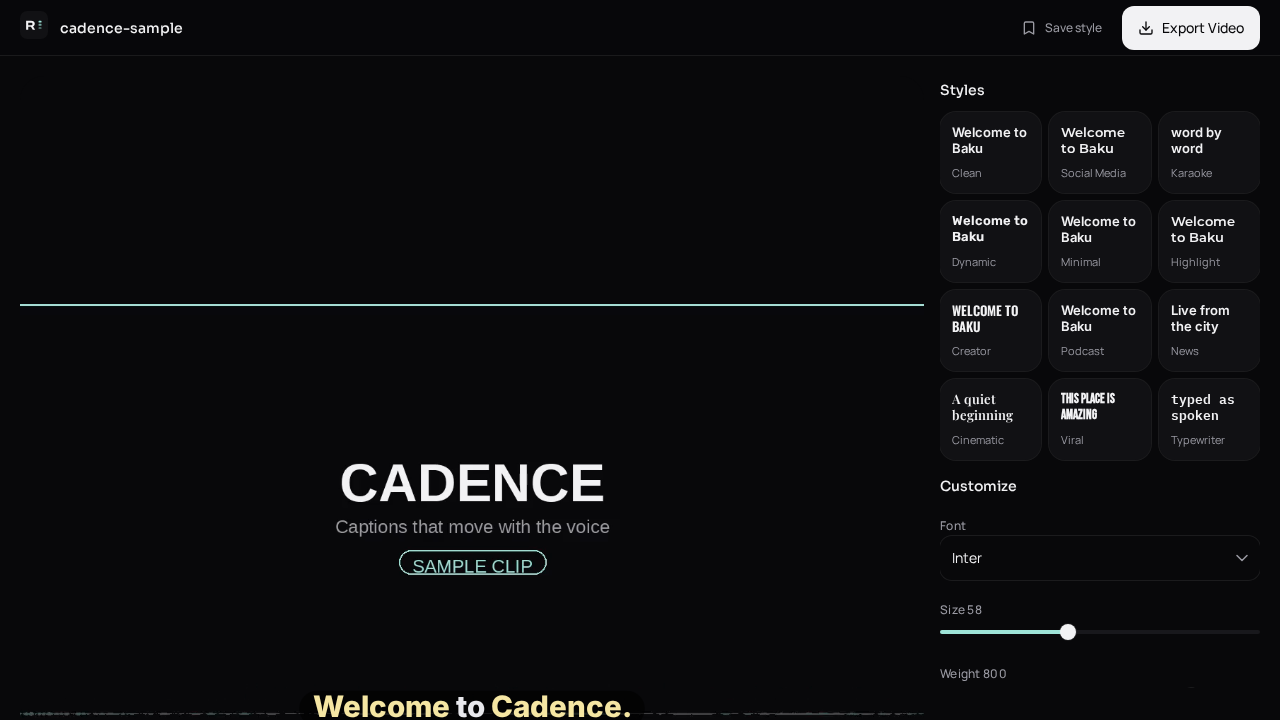
You already have the clip. Adding captions online means: drop the file in a browser, transcribe the speech, place the text, and download a posting MP4. You do not need to recut the video in CapCut unless you still want to edit picture or music.
Caption-Lagao is that upload-to-export path. The video stays on this device. Captions are word-timed so mute viewers can follow. There is no account wall and no watermark on the file you take away.
Steps
- Save the talking clip as MP4, MOV, or WEBM.
- Drop it on the Caption-Lagao create page.
- Generate captions. Choose Roman Urdu if the speech is Urdu or mixed.
- Read the draft on mute. Fix names, numbers, and English brand words.
- Place the block above platform UI, pick a style, export MP4 and optional SRT.
What this is not
- Not a photo-quote or Instagram bio generator.
- Not a script writer — it captions speech already on the file.
- Not an editor for cuts, music, or colour.
If the same talk also goes on YouTube long-form, export SRT from the same project and upload it in YouTube Studio. Reels and TikTok need the burned-in MP4.
Generate captions on your clip
Upload stays on this device. Export a burned-in MP4 and SRT with no watermark. No account required.