
Guides · Compare
Caption-Lagao vs Auto-Captions
Caption-Lagao vs TikTok, Reels, and YouTube auto-captions: Roman Urdu, word timing, burn-in that survives a save, and export with no watermark.
By Caption-Lagao · Updated 2026-09-12 · 4 min read
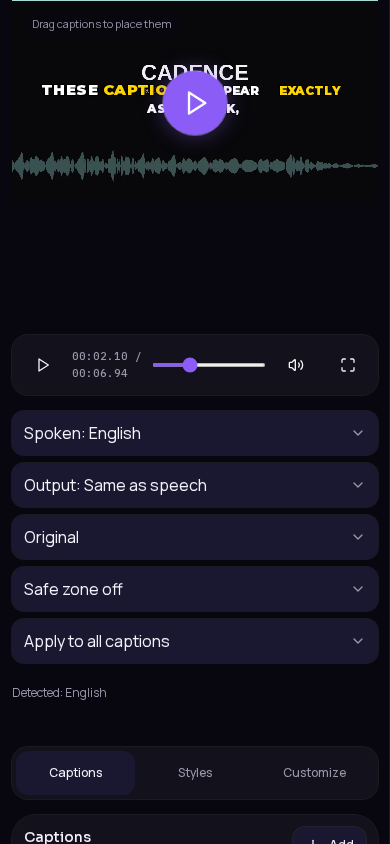
TikTok, Reels, and YouTube auto-captions help some viewers. They are the wrong tool when you need Roman Urdu, a style you picked, and a file that still has captions after someone saves it.
What actually differs
- Urdu speech: auto-captions often write Hindi Devanagari or a stiff translation. Caption-Lagao writes Roman Urdu, then you edit mixed English.
- Timing: auto-captions dump late sentence blocks. Caption-Lagao uses word timestamps for karaoke and highlights.
- Reposts: in-app captions are usually lost when someone saves the file. Burn-in is pixels in the MP4.
- Account: platforms require login. Caption-Lagao does not.
- Export: auto-captions stay in the app. Caption-Lagao downloads MP4 plus SRT, VTT, ASS, or TXT — no watermark.
When platform auto-captions are enough
If the clip is English-only, you will never download the file, and you do not care about style, native CC can be fine. Turn it off when you already burned captions in so the two layers do not stack.
When to generate here instead
Move the finished MP4 to Caption-Lagao when the talking is Urdu or mixed, when you want karaoke, or when the clip will be sent on WhatsApp or reused as an ad. Generate once, place for 9:16, export.
Generate captions on your clip
Upload stays on this device. Export a burned-in MP4 and SRT with no watermark. No account required.