
Guides · Compare
Generate Auto Captions with AI
Generate auto captions with AI from a video file, not a design template. Word-timed text, editable styles, MP4 export, no watermark.
By Caption-Lagao · Updated 2026-09-28 · 6 min read
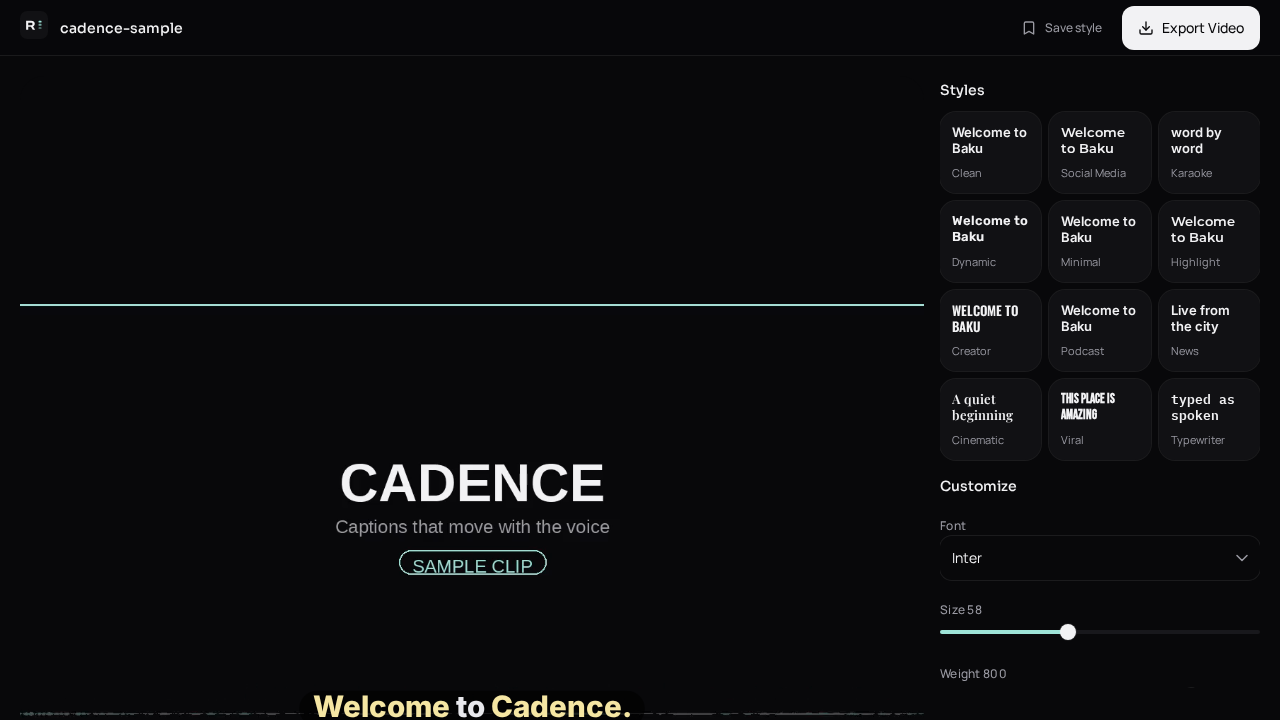
“Generate auto captions with AI” shows design suites and dedicated caption tools in the same list. A design suite is excellent at layouts. It is a poor place to discover that your Urdu line was written in the wrong script after you already built a brand template around it.
What should the AI be allowed to change?
- Clear mishearings: split words, missing apostrophes, garbled names you then confirm.
- Math spoken aloud, written as digits and symbols.
- Script: Urdu in Roman letters when that is the audience.
- Not the joke, not the order, and not extra advice the speaker never gave.
Why not stop at a template?
A template assumes you already have the text. Auto captions are how you get the text. Generate first, then pick a style — karaoke, a poster hook, or a plain line. Export the MP4. If you still want the clip inside a design tool, drop the captioned file in, not the raw camera file.
How do I generate them here?
Open Create, add the video, and generate. The preview shows the words on the picture before you export, so you are not guessing what the AI heard. Fix the line, then download.
Questions people ask
Is this the same as Canva’s auto captions?
Same job, different tool. You want the spoken words timed to the voice, then a file you can post anywhere.
Does AI invent extra sentences?
It should not. The draft follows the audio. Delete anything that was not said.
Can AI write Roman Urdu?
Yes. Choose Roman Urdu so Urdu speech stays in Latin letters and English stays English.
Do I need a Canva account?
No.
Generate captions on your clip
Upload stays on this device. Export a burned-in MP4 and SRT with no watermark. No account required.