
Guides · Compare
Caption-Lagao vs CapCut for Roman Urdu
CapCut vs Caption-Lagao for Roman Urdu video captions. When to stay in CapCut, and when to burn word-timed Latin Urdu into the finished MP4 you will post.
By Caption-Lagao · Updated 2026-09-17 · 8 min read
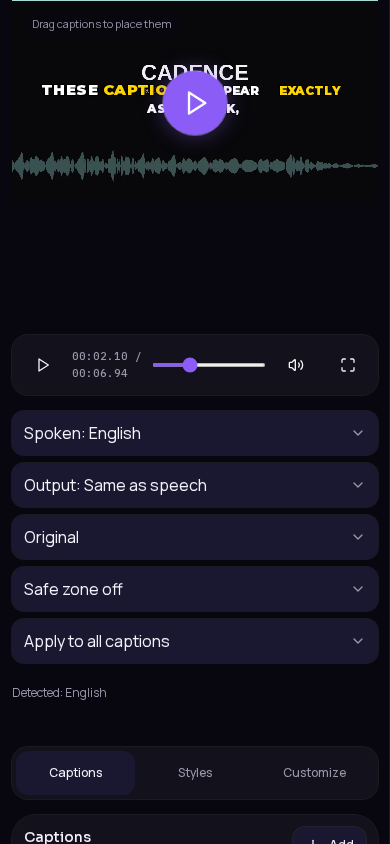
CapCut is an editor. Caption-Lagao is a caption generator for speech already on a file. Comparing them as if they were the same product leads to the wrong workflow. Most Urdu creators need both steps: an edit, then captions that survive mute autoplay. You do not have to abandon CapCut to get Roman Urdu on screen.
This page is only about captions on video — not CapCut effects, not music, not photo-quote templates. If you wanted a comparison with TikTok or Instagram auto-captions, that is a player-layer question, not an editor question.
What is the actual difference?
- CapCut: timeline, effects, music, captions as one of many layers. Great while you are still cutting.
- Caption-Lagao: upload a finished MP4, transcribe with word timestamps, write Roman Urdu, style, export MP4 and SRT.
- Script: Caption-Lagao refuses Hindi Devanagari on social captions and prefers Latin Urdu for Urdu speech.
- Accounts: Caption-Lagao does not require sign-in. Projects stay on this device.
Accuracy is not a marketing percentage here. Noisy audio, overlapping speakers, and whispered asides will trip any transcriber. The useful test is: can you fix a word on a timeline, keep English brands in English, and download a file that still shows captions after someone saves it.
When should I stay in CapCut?
Stay there if the clip is English-only, you already like CapCut’s caption presets, and the file will never leave that app’s export. Draft captions inside CapCut are useful to check that speech was picked up. Treat them as a scratch track if the audience reads Roman Urdu. If you are still moving clips, adding stickers, or beating music, do not jump to a caption tool yet — picture lock first.
What if CapCut already auto-captioned my Urdu clip?
Open the caption layer and look at the letters, not the confidence badge. If you see Devanagari, a translation, or academic transliteration (kyā ḥāl hai) that your comments never use, export the MP4 with that layer off. Recaption the picture in Caption-Lagao. Do not stack two caption layers.
When should I caption in Caption-Lagao?
Move the finished MP4 here when the talking is Urdu, Hinglish, or mixed with English slang and numbers. Auto-detect in consumer editors still guesses Hindi too often. You want the on-screen line to look like a WhatsApp message, not a news ticker in another script. You also want SRT from the same pass if the talk is going to YouTube.
- Finish picture lock in CapCut (or any editor).
- Export MP4 — captions off, or on if you will replace them.
- Drop the file on Caption-Lagao Create.
- Generate with Roman Urdu output. Edit mixed words.
- Export burned-in MP4 (and SRT if YouTube needs a track).
Bhai yeh hack free hai
CapCut se cut karo
caption yahan se lagao
Does CapCut write Roman Urdu from Urdu speech?
Sometimes you can type it by hand. Auto-captions follow whatever language pack the app picked that day. Urdu audio overlapping Hindi is a known failure mode across tools, not a CapCut-only bug. Caption-Lagao’s job in this workflow is the script: Latin Urdu, English left in English, Devanagari kept off social captions.
What about watermarks, accounts, and karaoke?
Caption-Lagao does not add a watermark and does not require an account. CapCut’s export watermark and Pro features are their product — they change, so check that app when you export. Karaoke exists in both. The difference is whether the highlighted word is still Roman Urdu after a mixed sentence. If karaoke is the look you want, generate word times here, then pick a karaoke style in the gallery.
If you already edit in CapCut, you do not need to recut the video here. You only need the spoken words on screen in the script your comments already use. Skip this comparison if you wanted a photo-quote generator or hashtag writer. Both products here are about speech on video, not Instagram bio copy.
How should I choose for a weekly posting habit?
Keep one timeline in CapCut. Keep captioning as a last step on the exported file. That avoids re-doing captions every time you nudge a cut. If a series is talking-heads only, you can caption in the browser and skip CapCut entirely. If a series is effects-heavy, never caption until the effects pass is done — burned-in text on a clip you will re-export is wasted work.
Questions people ask
Can CapCut write Roman Urdu captions?
CapCut auto-captions follow its language models. Urdu speech often becomes Hindi Devanagari or English. You can type Roman Urdu by hand. Caption-Lagao is built to emit Latin Urdu from speech.
Do I have to pick one tool?
No. Cut and grade in CapCut. Export MP4. Caption the finished file in Caption-Lagao. Burn-in then goes back to TikTok, Reels, or Shorts.
Which is free?
Caption-Lagao captions in the browser with no account and no watermark on the export. CapCut’s own export rules and watermark policies are separate and change — check that product.
What about karaoke styles?
Both tools can highlight words. Caption-Lagao times words from speech-to-text and keeps Urdu in Latin letters so karaoke still reads as chat-style Roman Urdu.
Is this the same as vs Instagram auto-captions?
No. CapCut is an editor. Instagram auto-captions are a player layer. Caption-Lagao vs auto-captions is a different comparison.
Generate captions on your clip
Upload stays on this device. Export a burned-in MP4 and SRT with no watermark. No account required.