
Guides · How-to
Free AI Video Caption Generator
Free AI video caption generator with word timestamps. Turn speech into on-screen captions and download a burned-in MP4. No watermark, no account.
By Caption-Lagao · Updated 2026-09-28 · 6 min read
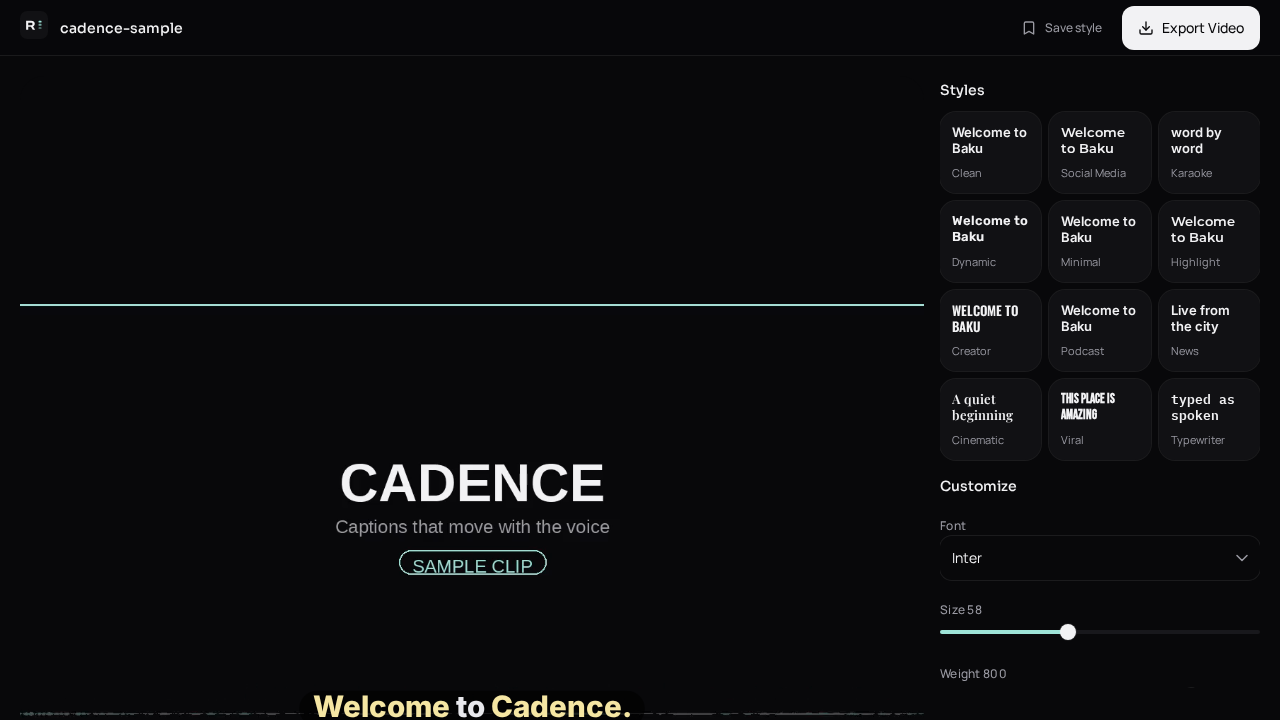
“Free and instant” is the promise on almost every caption homepage. Instant is fair for a Reel under half a minute. A ten-minute lesson is not instant, and any site that claims otherwise is hiding a queue. What you should demand for free is: no watermark, no forced signup, and captions you can actually read before you pay.
What does the generator return?
- On-screen lines timed to the voice.
- A burned-in MP4 for TikTok, Reels, and Shorts.
- SRT or VTT if you also need a subtitle track.
- A style you can change without generating again.
How do I keep the first draft honest?
Read it on mute once. Fix names, prices, and city names. If the speaker mixes Urdu and English, English words should stay English and Urdu should be Roman Urdu unless you asked for another script. Do not post a line you would not say out loud.
When should I use a video editor instead?
Cut, color, and music belong in your editor. Caption the finished picture. Sending a half-cut timeline through a caption tool means you will caption the same joke twice.
Questions people ask
Is it really free?
Yes. Generate and export without an account. There is no Caption-Lagao watermark.
What files work?
MP4, MOV, and WEBM with an audible voice track.
Does it caption silence or music only?
It needs speech. A music-only clip will not produce a useful transcript.
Can I change the font after generate?
Yes. Style, animation, and position stay editable before export.
Generate captions on your clip
Upload stays on this device. Export a burned-in MP4 and SRT with no watermark. No account required.